Add your current list
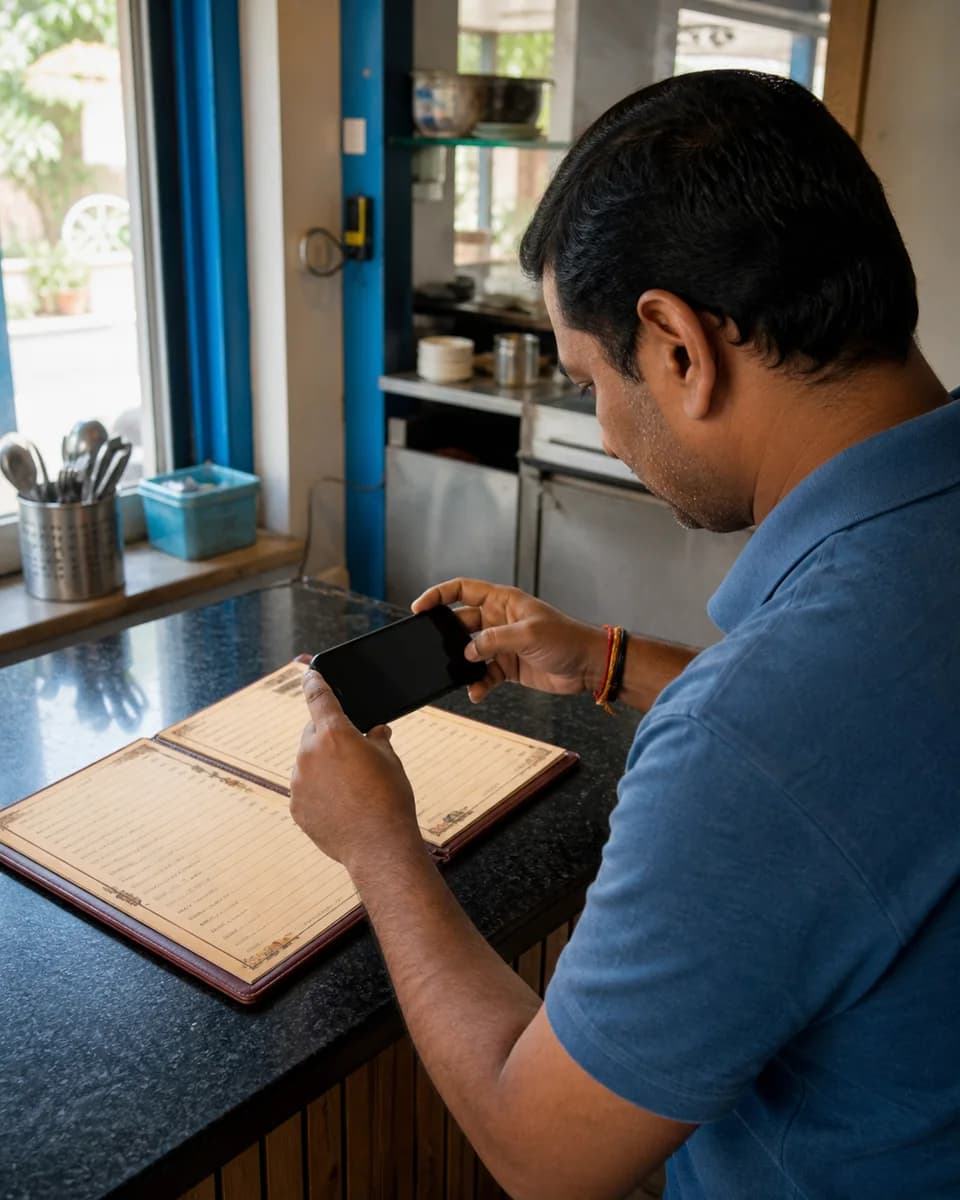
Upload a photo or PDF, or paste a public menu or service-list link you control.
The official customer-facing version of your business.
One approved list. One current customer link.
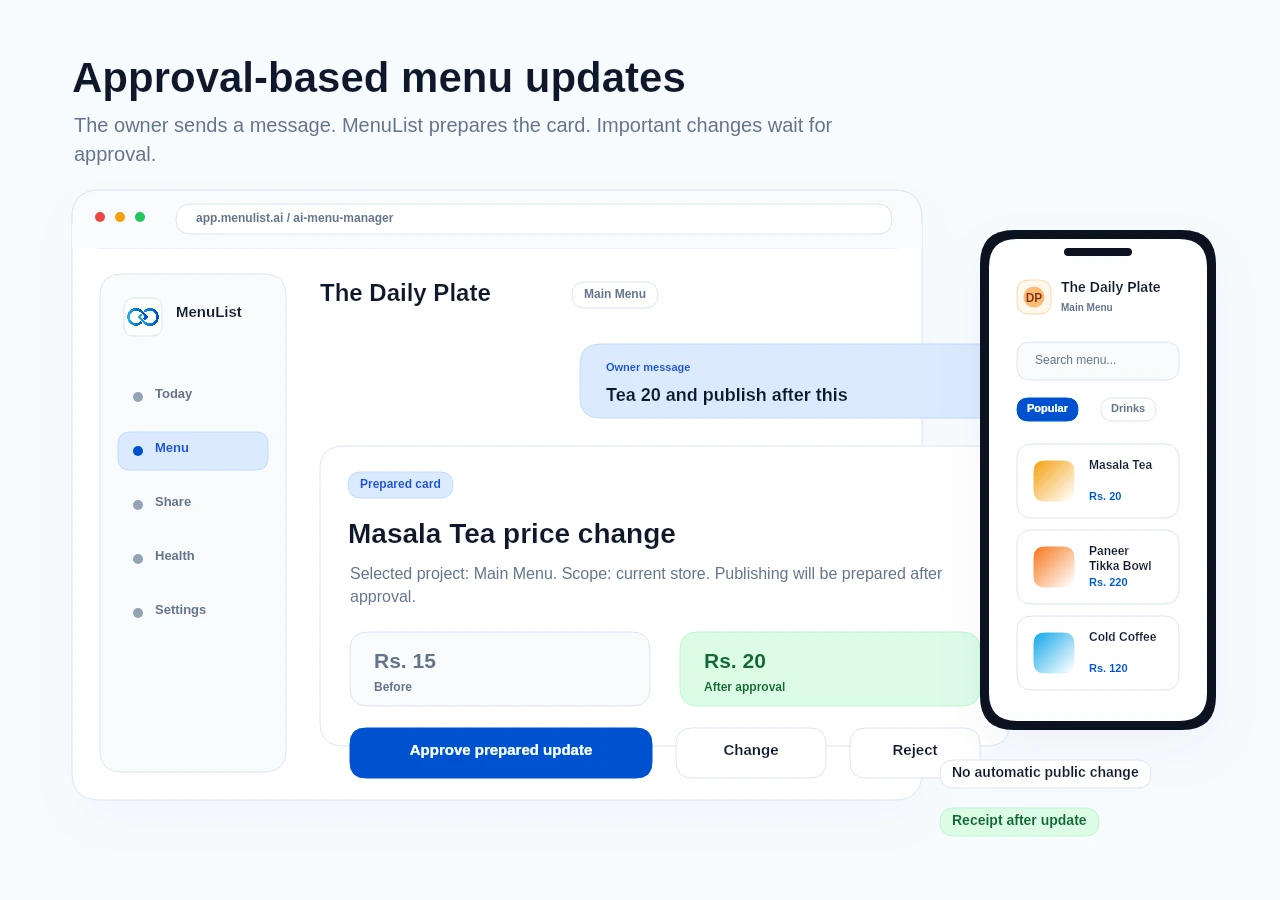
New: AI Menu ManagerUpdate your list by messageStart with a clear photo, a PDF, or a public menu link you control. MenuList prepares a private preview for you to review before your customer link goes live.
Start with a 7-day setup. Review the public version before choosing a paid plan.
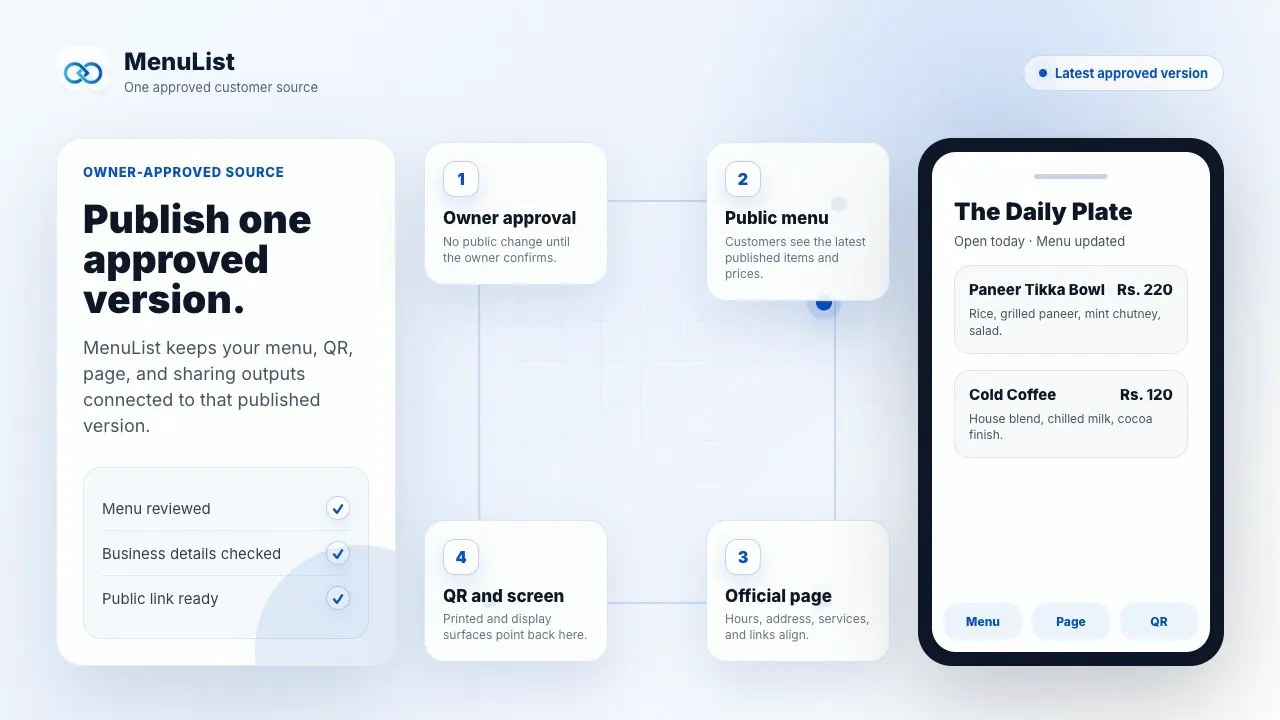
See the complete path from current menu or service list to one reviewed customer link.
Demonstration with sample business content.
Upload a photo or PDF, or paste a public menu or service-list link you control.
MenuList prepares it inside your account. Nothing becomes public before you review it.
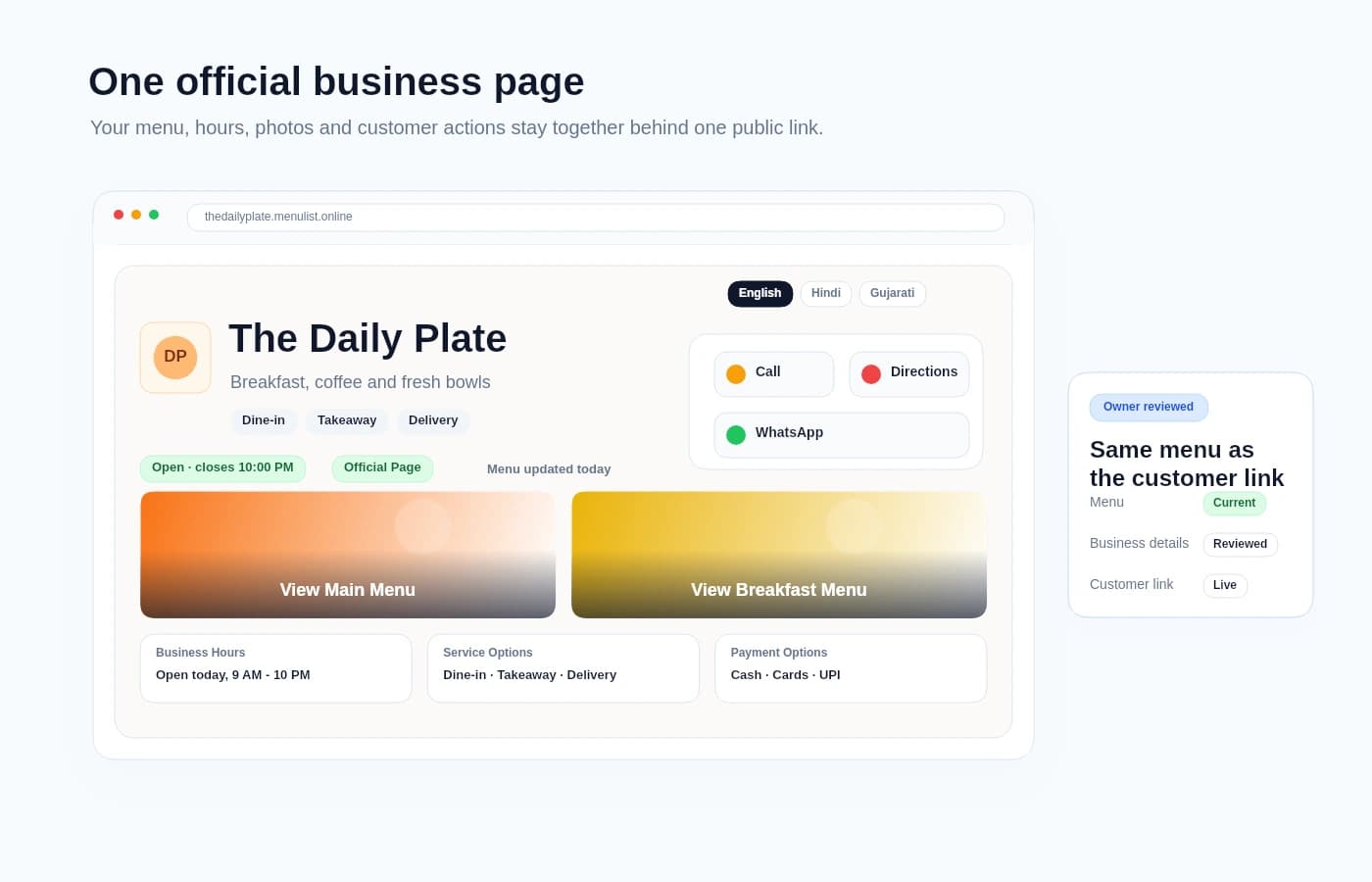
The version you approve becomes one customer link for your QR, public page, and MenuList files.
A MenuList page is built for real browsing. Customers can search, jump sections, switch language, and use guided choices from the approved list before they choose.
Top picks, quick options, and value choices can appear at the top with owner controls. They help customers choose while staying attached to the menu you approve.
Customers can search large menus or service lists without losing their place. The search bar expands when needed and stays quiet when it is not in use.
Categories behave like a clear table of contents. Customers can jump to drinks, services, lunch, desserts, or any section smoothly.
If you publish more than one language, customers can choose the one they read best on the same public list.
Customers see your business name, open status, recent update, prices, item details, and actions in the same menu.
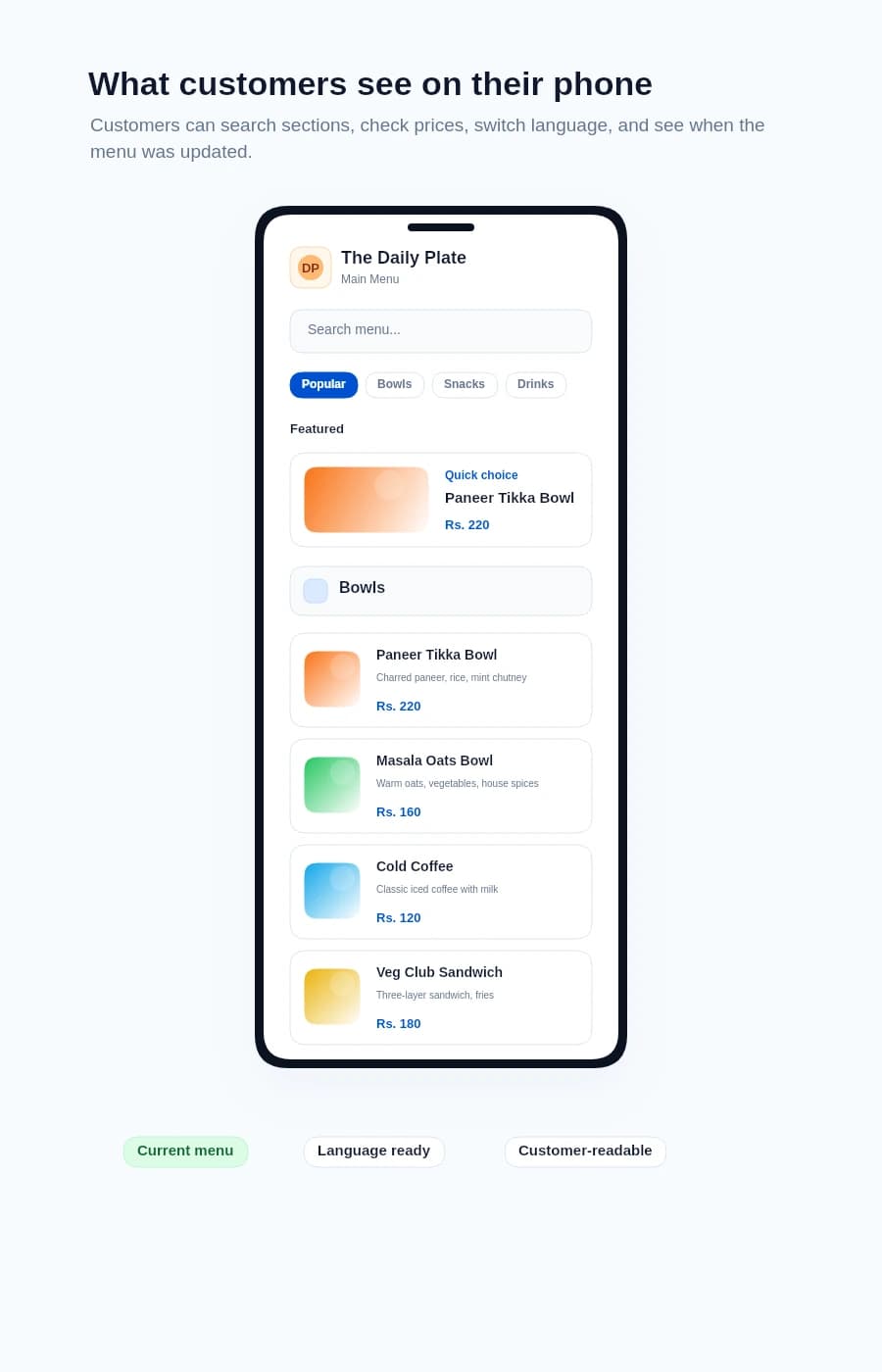
After review, the same approved list supports your customer page, QR, print files, customer actions, phone view, and simple menu activity.
Hours, contact, photos, directions, and the current list in one public place.
Table, counter, packaging, and poster QR files point to the approved version.
Download paper menus, table cards, and printer-ready files from the same approved menu.
Call, WhatsApp, directions, booking, ordering, sharing, and list access stay close.
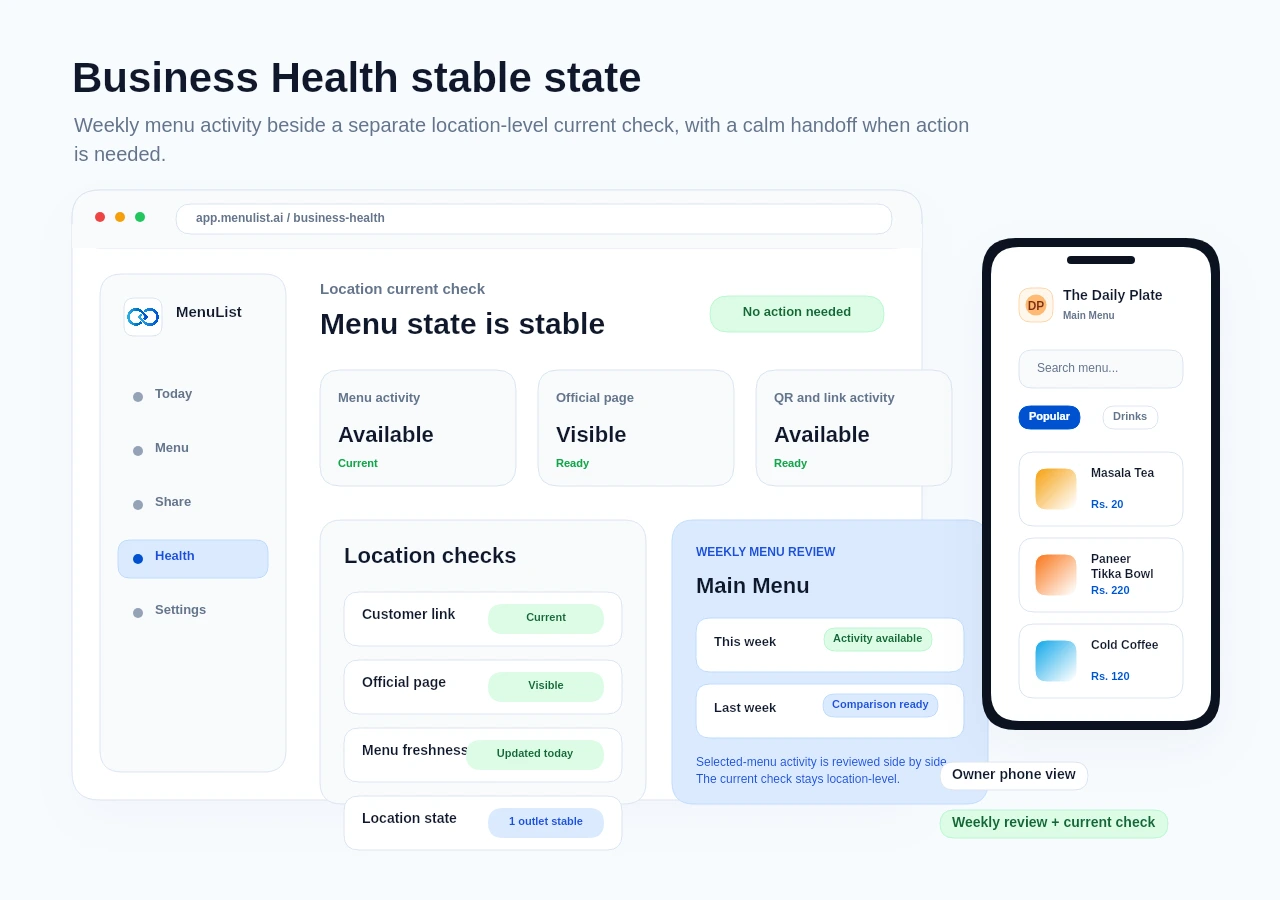
You can check and update the important parts from a phone-friendly view.
See what customers open and collect wrong-price or missing-item reports.
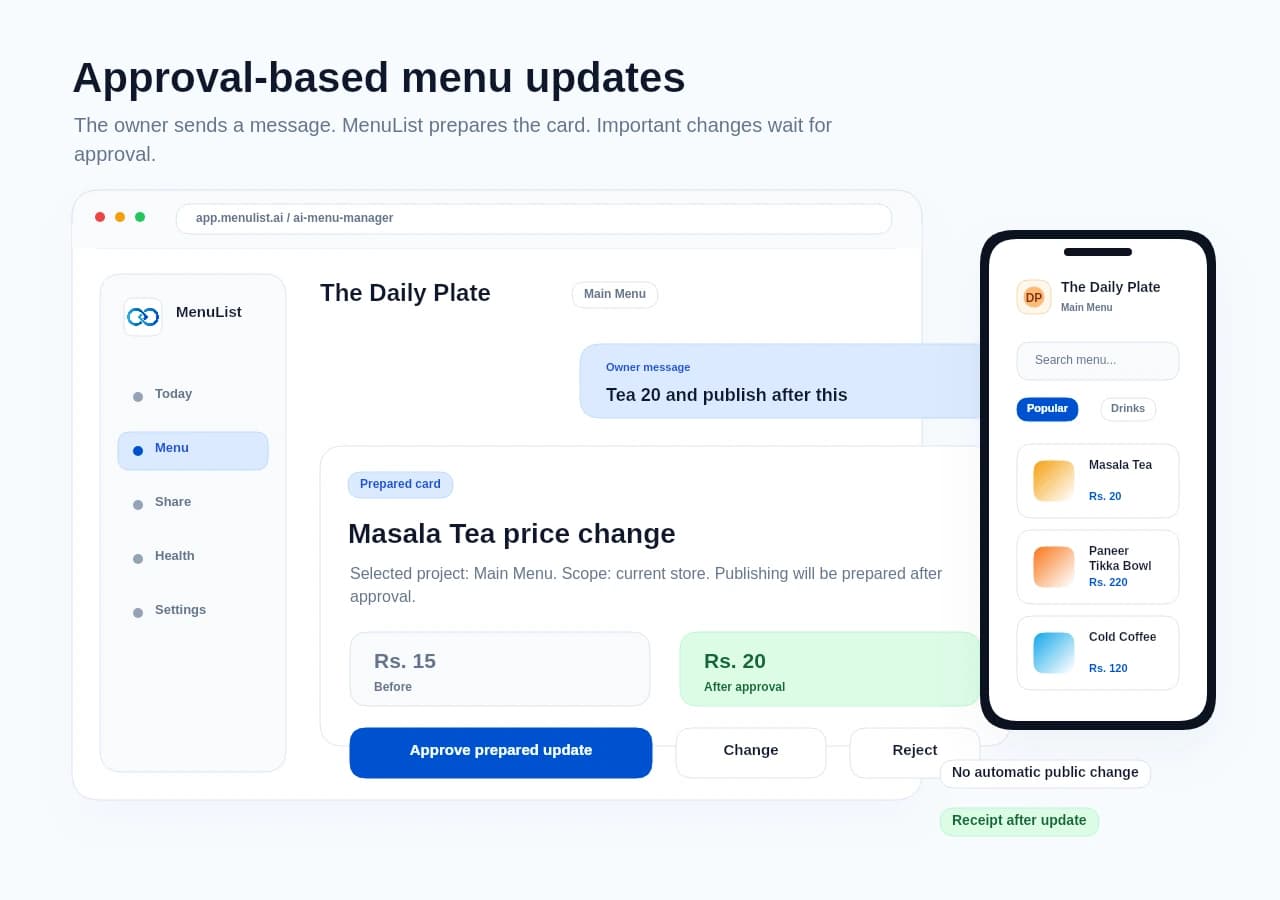
Tell MenuList what changed, then check whether anything needs your attention.
Check what matters
Compare this week’s menu activity with last week, then see whether any location needs attention. When everything looks right, Business Health says No action needed.
The questions owners usually ask before creating a private preview.
MenuList brings your menu, service list, and business details into one link customers can use. The page, QR, and MenuList files stay connected to the version you approve.
Not at all. Start with a photo, PDF, or public list link you control. Review what MenuList prepares, then publish when it looks right.
MenuList lets you start with a 7-day setup so you can review the public version before choosing a paid plan to keep the same link live and updated.
Yes. After sign-in, you can paste a public menu link you own or have permission to use. MenuList prepares a draft for review, so the link becomes a starting point rather than another public version to maintain.
No. Imported content stays in review until you approve it. If a public link cannot be read clearly, upload a clear menu or service-list photo or try another owned public link.
No. AI Menu Manager prepares cards. Important work such as prices, bulk updates, publishing, and generated images needs owner approval before it goes live.
Review the private preview, then publish the version customers will use.